Hot
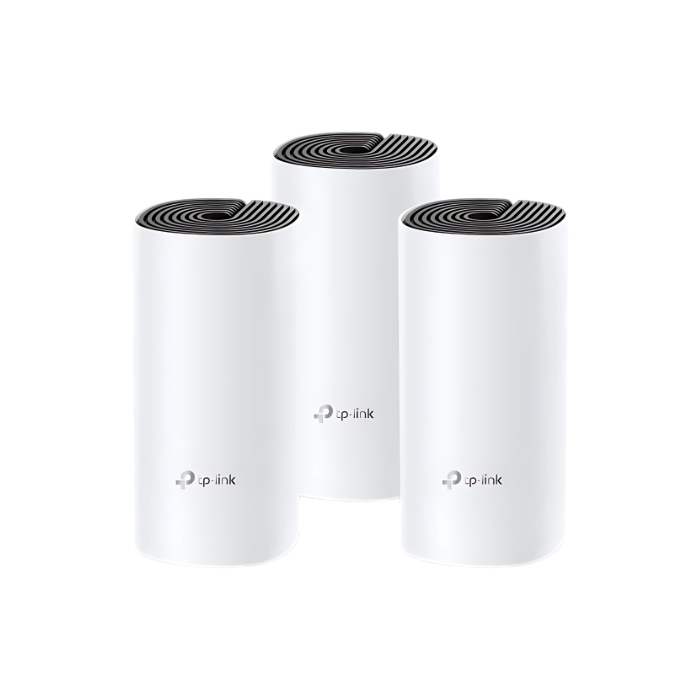
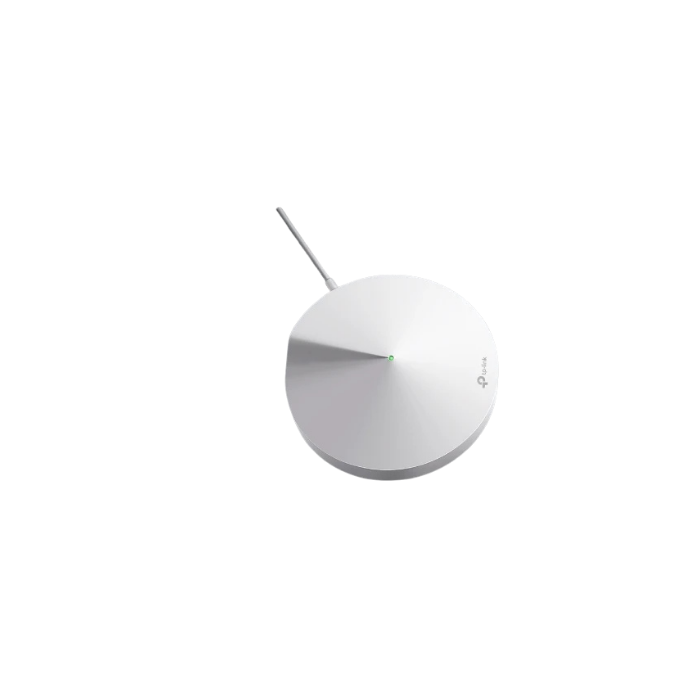
Home Mesh Wi-Fi TP-Link Deco M4 AC1200 pack of 3
$ 67.99
Deco M4AC1200 Whole Home Mesh Wi-Fi SystemDeco uses a system of units to achieve seamless whole-home Wi-Fi coverage — eliminate weak signal areas once and for all!†With advanced Deco Mesh Technology, units work together to form a unified network with a single network name. Devices automatically switch between Decos as you move through your home for the fastest possible speeds.‡A Deco M4 three-pack delivers Wi-Fi to an area of up to 4,000 square feet (EU version)†. And if that’s not enough, simply add more Decos to the network anytime to increase coverage.Deco M4 provides fast and stable connections with speeds of up to 1167 Mbps† and works with major internet service provider (ISP) and modem.Deco can handle traffic from even the busiest of networks, providing lag-free connections for up to 100 devices†.Parental Controls limits online time and block inappropriate websites according to unique profiles created for each family member.Setup is easier than ever with the Deco app there to walk you through every step.WIRELESSStandards and ProtocolsWi-Fi 5 IEEE 802.11ac/n/a 5 GHz IEEE 802.11n/b/g 2.4 GHzWiFi SpeedsAC1200 5 GHz: 867 Mbps (802.11ac) 2.4 GHz: 300 Mbps (802.11n)WiFi Range3-5 Bedroom Houses (3-pack)TP-Link Mesh Technology Optional Ethernet backhaul work together to link Deco units to provide seamless coverage2× Antennas (Internal) Multiple antennas form a signal-boosting array to cover more directions and large areasBeamforming Concentrates wireless signal strength towards clients to expand WiFi rangeWiFi CapacityMediumDual-Band Distribute devices to different bands for optimal performanceMU-MIMO Simultaneously communicates with multiple MU-MIMO clientsWorking ModesRouter Mode Access Point ModeSECURITYNetwork SecuritySPI Firewall Access ControlGuest Network1× 5 GHz Guest Network 1× 2.4 GHz Guest NetworkWiFi EncryptionWPA-Personal WPA2-PersonalHARDWAREEthernet Ports2× Gigabit Ports*Per Deco Unit Supports WAN/LAN auto-sensingButtonsReset ButtonSOFTWAREProtocolsIPv4 IPv6Parental ControlsURL Filtering Time ControlsWAN TypesDynamic IP Static IP PPPoE PPTP L2TPQuality of ServiceQoS by DeviceCloud ServiceOTA Firmware Upgrade TP-Link ID DDNSNAT ForwardingPort Forwarding UPnPIPTVIGMP Proxy IGMP Snooping Bridge Tag VLANDHCPAddress Reservation DHCP Client List ServerDDNSTP-LinkManagement FeaturesDeco AppTEST DATAWiFi Transmission PowerCE: <20 dBm (2.4 GHz) <23 dBm (5 GHz) FCC: <30 dBmPHYSICALDimensions (W×D×H)3.6 × 3.6 × 7.5 in (90.7 × 90.7 × 190 mm)Package ContentDeco M4 (3-pack) 3 Deco M4R Units 1 RJ45 Ethernet Cable 3 Power Adapters 1 Quick Installation GuideDeco M4 (2-pack) 2 Deco M4R Units 1 RJ45 Ethernet Cable 2 Power Adapters 1 Quick Installation GuideDeco M4 (1-pack) 1 Deco M4R Unit 1 RJ45 Ethernet Cable 1 Power Adapter 1 Quick Installation GuideOTHERSSystem RequirementsAndroid 5.0 or later iOS 9.0 or later *Note: The minimum system requirements will be updated alongside updates to the app, subject to official website information.CertificationsCE, FCC, IC, NCC, BSMI, IDA, RCM, JPA, JRF, VCCI, KC, RoHSEnvironmentOperating Temperature: 0℃~40℃ (32℉ ~104℉) Storage Temperature: -40℃~70℃ (-40℉ ~158℉) Operating Humidity: 10%~90% non-condensing Storage Humidity: 5%~90% non-condensing†Maximum wireless signal rates are the physical rates derived from IEEE Standard 802.11 specifications. Actual wireless data throughput and wireless coverage, and quantity of connected devices are not guaranteed and will vary as a result of network conditions, client limitations, and environmental factors, including building materials, obstacles, volume and density of traffic, and client location.‡Clients need to support 802.11k/v/r and may require additional set up. Performance may vary depending on the client device.Actual network speed may be limited by the rate of the product’s Ethernet WAN or LAN port, the rate supported by the network cable, Internet service provider factors and other environmental conditions.
Related Products